How do I post an image? (OLD)

We guide you through a series of masterclasses in posting pictures, getting an avatar and much more!
Guest

How do I post an image? (OLD)

Post by Guest » 24 Aug 2004, 23:13

admin: an update "how to" on uploading images can be found at http://forum.talkporty.org/viewtopic.php?f=7&t=5561

This thread is for practising posting images. The only rule: There are no stupid questions here.

There are lots of ways you can post images on the forum. The easiest way I know (thank you, Wangi) is to sign up for an account at Photobucket. You'll need to give a valid email address to get an account. If you're using a hotmail address, beware that hotmail may classify email from photobucket as spam, so check your junk mail folders.

Right.

Assuming you have an account at photobucket, how do you upload an image to photobucket? Imagine you have an image in your "My Documents/My Pictures" folder called "cows" (or it might be "cows.jpg").

Log in to photobucket. The web site should take you straight to your albums page. At the top of the page is a box which says add picture next to it. MAKE SURE THAT THERE IS ALSO A BOX TO THE RIGHT SAYING BROWSE. If it isn't there, click "Upload from your computer" and it will appear.

Now press the Browse button.

A window will open showing you some of the files on your computer. Every computer is different , but you will probably see your "My documents" folder. Double-click on it. Now click on your "My pictures" folder. Keep double-clicking till you see the photo of the cows. Then double click on the cows. The new window will disappear. Now click the submit button on the photobucket page. As if by magic, the picture will appear on screen, with three boxes below it. Click in the third box and COPY the whole text.

Now log in to the forum. Start your new post. When you get to the bit where you want to post the photograph, PASTE it into your message. Image

Job done. Everyone please join in, share your tips, and practice posting images.

User avatar
mr magnolia
Posts: 972
Joined: 11 Jul 2004, 22:07
Location: close to the edge
Contact:

Post by mr magnolia » 24 Aug 2004, 23:23

Cool

I am already experimenting with my mulitabbed browser, now for the photos!

User avatar
Porty
Posts: 8514
Joined: 08 Jun 2004, 14:30
Location: Organic Market

Re: Moderator's Masterclass - Practice posting images here

Post by Porty » 25 Aug 2004, 08:56

Alex wrote:This thread is for practising posting images. The only rule: There are no stupid questions here.
Why is there to be no stupid questions?

User avatar
Porty
Posts: 8514
Joined: 08 Jun 2004, 14:30
Location: Organic Market

Post by Porty » 25 Aug 2004, 08:58

BTW excellent idea for a thread.
:D
Wonder why no one thought of it before now?

User avatar
sicker
Posts: 150
Joined: 19 Feb 2003, 19:06
Location: Portobello

Post by sicker » 25 Aug 2004, 11:00

Alex, when I paste the image to the message all I get is the path to the image in photobucket, not the image? Any suggestions

EG.Image
Last edited by sicker on 25 Aug 2004, 12:37, edited 2 times in total.

User avatar
wangi
[admin]
Posts: 3442
Joined: 27 May 2004, 10:37
Contact:

Post by wangi » 25 Aug 2004, 11:05

Sicker, when posting do you have the "Disable BBCode in this post" toggle checked on? If you do, you'd see what you are seeing!

The default setting of this can be changed in your profile: http://porty.org.uk/phpBB2/profile.php?mode=editprofile

User avatar
sicker
Posts: 150
Joined: 19 Feb 2003, 19:06
Location: Portobello

Post by sicker » 25 Aug 2004, 12:45

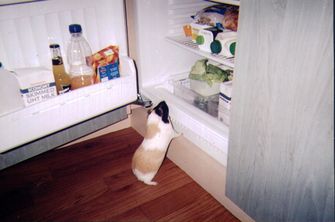
Where is my dinner?

Image

User avatar
sicker
Posts: 150
Joined: 19 Feb 2003, 19:06
Location: Portobello

Post by sicker » 25 Aug 2004, 12:46

Don't know but I have just found mine!!

Image

User avatar
bellybabe
Posts: 1662
Joined: 18 Apr 2003, 13:25
Contact:

Post by bellybabe » 25 Aug 2004, 12:51

Aha, this is familiar. when i tried it the other week, it WAS photobucket I tried...but not at the right time of day, so i used their twin site, tinypic.com...but it didn't work.

Will try photobucket later when the time is right...

Love the pics, sicker.

BTW...sicker...than what/who?
All I really need is love, but a little chocolate now and then doesn't hurt!

-Lucy Van Pelt (in Peanuts, by Charles M. Schulz)

User avatar
sicker
Posts: 150
Joined: 19 Feb 2003, 19:06
Location: Portobello

Post by sicker » 25 Aug 2004, 13:09

family motto bellybabe

Image

User avatar
bellybabe
Posts: 1662
Joined: 18 Apr 2003, 13:25
Contact:

Post by bellybabe » 25 Aug 2004, 15:55

BTW might be worth mentioning here that you can only get a photobucket account between 5 and 9 o'clock am and pm...before too many day time posters get frustrated. I speak from experience.
All I really need is love, but a little chocolate now and then doesn't hurt!

-Lucy Van Pelt (in Peanuts, by Charles M. Schulz)

User avatar
mr magnolia
Posts: 972
Joined: 11 Jul 2004, 22:07
Location: close to the edge
Contact:

Post by mr magnolia » 25 Aug 2004, 16:08

Sicker, from Shicker, sure, retained in Manx;

is that the one, Sicker?

User avatar
wangi
[admin]
Posts: 3442
Joined: 27 May 2004, 10:37
Contact:

Post by wangi » 25 Aug 2004, 16:17

Bellybabe wrote:BTW might be worth mentioning here that you can only get a photobucket account between 5 and 9 o'clock am and pm...before too many day time posters get frustrated. I speak from experience.
For other similar sites: http://www.free-webhosts.com/free-image-hosting.php

User avatar
sicker
Posts: 150
Joined: 19 Feb 2003, 19:06
Location: Portobello

Post by sicker » 25 Aug 2004, 17:22

No, Mr. Magnolia it's scots for sure or certain. Don't know about Manx.

Guest

Post by Guest » 25 Aug 2004, 18:10

Hi Marya - Images came through sharp and clear!

You might want to try cutting the size of the first one... There's a great web site at http://www.resize2mail.com/ that will do it for you.


<Edit - Just noticed your edit, Marya - hope this helps!>


Alex
Last edited by Guest on 25 Aug 2004, 18:13, edited 1 time in total.

Guest

Post by Guest » 25 Aug 2004, 18:11

BTW: Nice bathroom! :lol:

ecm
Posts: 3053
Joined: 15 Jun 2003, 11:34

Post by ecm » 25 Aug 2004, 19:02

Testing...testing..........
A view from our window
Image

Guest

Post by Guest » 25 Aug 2004, 19:17

Loud and clear, ECM. Lovely photo.

Guest

Post by Guest » 25 Aug 2004, 19:18

Delighted that everyone is getting the hang of posting pictures. I'm definitely going to sign up for one of these accounts myself. One point, which Marya has already alluded to, could everyone please restrict the width of their images to 425 pixels or 15cm. I HATE having to scroll horizontally and one large image distorts the whole page. This is something that we will cover in the FAQ.

This is just the first 'masterclass' that Alex will be holding, so we will all be learning together how to get more out of the forum. If there is anything in particular you would like us to cover, just let us know.

Guest

Post by Guest » 25 Aug 2004, 19:25

Bob wrote:could everyone please restrict the width of their images to 425 pixels or 15cm
Bob - Much easier to count pixels than measure the size. A 15cm image at 300 dpi will still be too big to display on screen.

(BTW: Don't worry if that's gobbledegook. Just ignore it.)

:P

User avatar
bellybabe
Posts: 1662
Joined: 18 Apr 2003, 13:25
Contact:

Post by bellybabe » 25 Aug 2004, 20:59

Yay! That's me - so now I can be spladooshed!
:wink:
All I really need is love, but a little chocolate now and then doesn't hurt!

-Lucy Van Pelt (in Peanuts, by Charles M. Schulz)

User avatar
bellybabe
Posts: 1662
Joined: 18 Apr 2003, 13:25
Contact:

Post by bellybabe » 25 Aug 2004, 21:02

Bob wrote: could everyone please restrict the width of their images to 425 pixels.
Sure. But how? Does this need to be done before uploading to photobucket? I tried their resizing dooberry but it's not helping.
All I really need is love, but a little chocolate now and then doesn't hurt!

-Lucy Van Pelt (in Peanuts, by Charles M. Schulz)

User avatar
bellybabe
Posts: 1662
Joined: 18 Apr 2003, 13:25
Contact:

Post by bellybabe » 25 Aug 2004, 21:08

The seventy somethingth Frasers Highlanders...checking picture resizing. Me, not them. They're shooting stuff.

Image
All I really need is love, but a little chocolate now and then doesn't hurt!

-Lucy Van Pelt (in Peanuts, by Charles M. Schulz)

User avatar
bellybabe
Posts: 1662
Joined: 18 Apr 2003, 13:25
Contact:

Post by bellybabe » 25 Aug 2004, 21:10

OK just ignore me. I'm just playing.

Image

The resizing dooberry is now helping, now i almost know what I'm doing.
All I really need is love, but a little chocolate now and then doesn't hurt!

-Lucy Van Pelt (in Peanuts, by Charles M. Schulz)

Guest

Post by Guest » 25 Aug 2004, 21:18

You probably already have software that can do this. If you have Windows you may have Microsoft Picture It! or Microsoft Photo Editor, both of which come bundled with XP but if not there is also plenty of free stuff you could use. Try right clicking on any of your images, choose 'Open with...' and see what options you have.

EDIT - ok, I see you have worked it out yourself. See, it's easy when you try!

ecm
Posts: 3053
Joined: 15 Jun 2003, 11:34

Post by ecm » 25 Aug 2004, 21:20

Bellybabe beat me to it with the baby pic.
I've started a new thread - "The Way We Were"
- might help the bagging and spladooshing.
:lol:

User avatar
Porty
Posts: 8514
Joined: 08 Jun 2004, 14:30
Location: Organic Market

Post by Porty » 26 Aug 2004, 18:10

Smart Alex :D

Guest

Post by Guest » 27 Aug 2004, 12:36

Do you have to use something like photobucket to paste into the forum :?:

User avatar
wangi
[admin]
Posts: 3442
Joined: 27 May 2004, 10:37
Contact:

Post by wangi » 27 Aug 2004, 14:32

No, but the image needs to be available via the web So if you have your own web space and an image hosted there, then that is fine too.

User avatar
Hell's Cat
Posts: 143
Joined: 21 Nov 2002, 09:34
Location: Portobello
Contact:

Post by Hell's Cat » 07 Sep 2004, 10:27

Ok, Don't have a photobucket thingy so stuck a couple of piccies on my web site. So I guess I just put the link in now?
http://www.visionsofscotland.co.uk/PortobelloOnline.htm
:?
Only after the last tree has been cut down, only after the last river has been poisoned, only after the last fish has been caught, only then will you find, that money cannot be eaten.

User avatar
wangi
[admin]
Posts: 3442
Joined: 27 May 2004, 10:37
Contact:

Post by wangi » 07 Sep 2004, 10:51

Hell's Cat wrote:Ok, Don't have a photobucket thingy so stuck a couple of piccies on my web site. So I guess I just put the link in now?
http://www.visionsofscotland.co.uk/PortobelloOnline.htm
:?
You want to put the link to the actual image file in between "Image

I'll post the actual code used in the next message...

User avatar
wangi
[admin]
Posts: 3442
Joined: 27 May 2004, 10:37
Contact:

Post by wangi » 07 Sep 2004, 10:56


User avatar
Hell's Cat
Posts: 143
Joined: 21 Nov 2002, 09:34
Location: Portobello
Contact:

Post by Hell's Cat » 07 Sep 2004, 11:02

Thanks Wangi, got it sussed now.
Only after the last tree has been cut down, only after the last river has been poisoned, only after the last fish has been caught, only then will you find, that money cannot be eaten.

User avatar
wangi
[admin]
Posts: 3442
Joined: 27 May 2004, 10:37
Contact:

Post by wangi » 07 Sep 2004, 11:08

Hell's Cat wrote:Thanks Wangi, got it sussed now.
No problem - i'm still trying to force myself away from your site and back to work!

User avatar
Hell's Cat
Posts: 143
Joined: 21 Nov 2002, 09:34
Location: Portobello
Contact:

Post by Hell's Cat » 07 Sep 2004, 19:47

I'm flattered your enjoying it (hopefully?). Which bit are you interested in? All the history bits I'm still working on - just for fun though - I must be mad, it's taking ages, I'm sure there are better things I could be doing with my time! The Genealogy section is an on going project, I don't suppose I'll ever finish it!
Only after the last tree has been cut down, only after the last river has been poisoned, only after the last fish has been caught, only then will you find, that money cannot be eaten.

Locked